
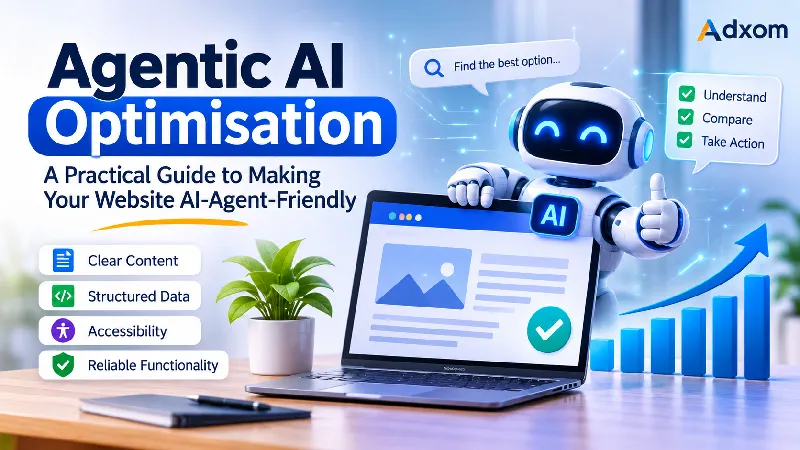
Websites have traditionally been built for people who browse pages, click links, and fill out forms. As AI assistants can search, compare options, and complete tasks on a user’s behalf, site owners have a new audience to consider: software agents. Agentic AI Optimisation is the practice of making a website easier for these systems to understand and use, without making it harder for people.
The idea is still developing, and no single checklist guarantees an AI agent will choose or correctly interpret a site. But sound fundamentals—clear information, reliable pages, and usable processes—can make a website more accessible to both automated tools and human visitors. A helpful overview of Agentic AI Optimization can provide additional context before you plan changes.
What Makes a Website Agent-Ready?
An AI agent does more than retrieve a page of text. Depending on its capabilities, it may identify an answer, compare products or services, follow a process, or pass information to a user. For that to work, the site must clearly communicate its purpose and details.
Think of a local service business. A visitor should be able to find what it does, where it operates, how to contact it, and what to do next. An automated system needs those details to be just as explicit. If important information is buried in a graphic, hidden behind an unclear button, or scattered across outdated pages, both people and software may struggle.
Start With Clear, Consistent Information
Review your core pages and check whether they answer common questions directly. Explain what you offer, who it is for, what it costs when pricing is available, and any important limits or conditions. Use specific headings and plain language rather than vague slogans that sound appealing but do not explain much.
Consistency matters, too. If your hours, service area, product details, or contact information differ across pages, an agent may not know which version to rely on. Assign someone to check key details regularly, especially after a change to your business or offerings.
- Give each page a clear, descriptive title and purpose.
- Use headings that reflect the questions a visitor might ask.
- Keep product, service, and business details up to date.
- Explain specialized terms when a general reader may not know them.
Make Important Actions Easy to Follow
Some websites are informational; others let visitors book appointments, request quotes, buy products, or create accounts. If an agent is expected to help with one of these tasks, the process should be understandable and dependable from beginning to end.
Use buttons with specific labels such as “Schedule a consultation” rather than “Continue” when the action can be described more clearly. Make required fields obvious, explain errors usefully, and show what happens after a form is submitted. Check that key functions work on mobile devices and with keyboard navigation. A task that only works through a confusing visual interaction can be difficult for assistive technology and automated systems alike.
Don’t remove safeguards just to shorten a process. Payments, account changes, and the sharing of personal information may require a person to confirm an action. The goal is to make legitimate steps clear, not to let automation bypass consent or security.
Build a Reliable Technical Foundation
Clear writing cannot compensate for a site that loads slowly, returns errors, or blocks access to essential content. Keep pages technically healthy: use secure connections, fix broken links, make sure important pages can be reached through normal navigation, and avoid relying exclusively on content that appears only after a complex script runs.
Structured data can also help describe information such as a product, business, event, or article in a consistent format. It doesn’t promise visibility in AI answers, and it should accurately match what visitors see on the page. Treat it as a way to clarify existing information, not as a shortcut around useful content.
Finally, review how your site handles automated traffic and privacy. Check the rules and settings that apply to your organization, and avoid exposing private customer data or internal information through public pages or poorly configured tools.
Measure Before Making Big Changes
It can be tempting to redesign an entire site around predictions about how AI agents will behave. A more practical approach is to identify a few high-value pages and test them first. Ask whether a person unfamiliar with your organization could understand the page, find the next step, and complete the task without assistance.
Track common signals such as form completion, support questions, page errors, and process abandonment. If possible, test common tasks with different devices and accessibility tools. These observations reveal real problems more reliably than adding technical features without a clear purpose.
When Outside Help Is Useful
Smaller teams may need outside support for technical audits, content cleanup, accessibility improvements, or structured data. Be specific about the outcome you want and ask prospective freelancers to explain their approach, relevant experience, and how they will test the work. Understand a marketplace’s selection process before you hire; for example, Osdire’s freelancer-vetting process explains how the platform reviews freelancers.
When comparing proposals, look beyond promises of guaranteed AI rankings. Ask for a defined scope, clear deliverables, and a way to verify that the changes work. Websites vary widely, so a useful plan should fit your audience, budget, and technical setup.
Keep the Focus on Useful Experiences
Agentic AI Optimisation is not about writing for machines at the expense of people. It is about making a website’s information accurate, accessible, and actionable enough that different kinds of visitors can understand it. Start with clarity and dependable functionality, protect user privacy, and improve based on evidence. These steps will serve your audience now while preparing your site for new ways to find and use information.