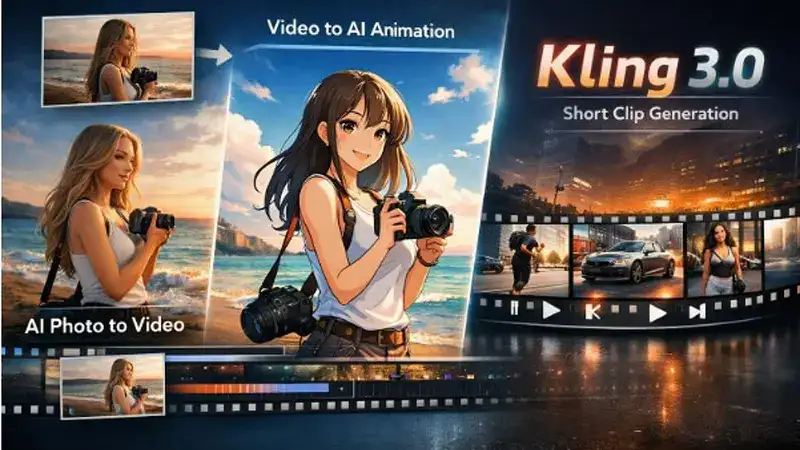
In today’s fast-paced digital economy, video content isn’t just important — it’s essential. Whether you’re pushing social ads, building community on Instagram and TikTok, or growing a YouTube channel, high-quality visuals boost engagement and conversions like nothing else. Thanks to the latest advancements in generative AI, tools like Kling 3.0 enable marketers to create compelling, cinematic videos without the traditional headaches of video production.
This post explores 10 creative strategies marketers can use Kling 3.0 to produce standout ads, short clips, and viral social content — even if you’ve never edited a video before.
What Is Kling 3.0?
Kling 3.0 is the next evolution of the Kling AI video generation engine — an advanced system capable of producing multi-shot, cinematic visuals with synchronized audio, character consistency, and professional-grade motion. Kling 3.0 can generate videos up to 15 seconds long, capture fluid camera motion, and smoothly integrate sound, dialogue and effects in a single pass — all directly from prompts.
Unlike earlier text-to-video tools that output short clips with limited realism, Kling 3.0 brings:
- Native 4K resolution and HDR video quality
- Multi-shot continuity and scene sequencing
- AI direction tools (pan, tilt, zoom)
- Native audio generation, including lip-sync and SFX
- Extended video durations up to 15 seconds
—all ideal for rich storytelling and polished social ads.
For marketers, Kling 3.0 opens up a world of possibilities — especially when paired with broader AI workflows.
10 Creative Ways Marketers Can Use Kling 3.0
1. Cinematic Short Ads for Reels and Shorts
Short, visually striking ads perform incredibly well on Instagram Reels, TikTok, and YouTube Shorts. With Kling 3.0, marketers can generate polished stories with camera motion, audio, and naturally flowing visuals in less time than it takes to shoot traditional footage. Think: product reveals, lifestyle shots, or brand intros that feel cinematic but cost far less than a studio shoot.
2. High-Impact Trailers for Product Launches
When launching a new product or service, first impressions matter. Kling 3.0 can help you generate crisp, timed sequences that showcase features with dramatic motion and synchronized sound — perfect for teaser campaigns and countdown promotions across social channels.
3. Story-Driven Customer Testimonials
Transform static customer quotes into story-driven visuals where a narrator speaks, environments shift, and brand colors and logo elements appear dynamically. Kling 3.0’s ability to generate native audio and consistent motion enables brands to tell real stories that feel personal and compelling—more engaging than traditional testimonial clips.
4. Narrative Ad Campaigns
Tell a story with beginning, middle, and end — even in short form. Kling 3.0’s multi-shot consistency lets you create short narratives that flow across clips, perfect for episodic campaigns where each Reel or Short is part of a bigger narrative arc.
5. Behind-the-Scenes Teasers for Upcoming Events
Generate artistic behind-the-scenes visuals without booking a camera crew. With creative prompts, Kling 3.0 can simulate dynamic shots— such as walking through an event space, focusing on key details, or capturing mood-setting ambience—all automatically. For events such as sales, launches, or live streams, this is invaluable.
6. Motion Graphics for Brand Messaging
Use Kling 3.0 to produce stylized motion graphics with synchronized audio cues to highlight brand messaging or CTAs. Animated text, subtle motion, and synchronized sound help grab attention within the first few seconds — crucial for social ads where viewers scroll fast.
7. Holiday and Seasonal Promo Content
Seasonal campaigns see high engagement when paired with timely visuals and music. Kling 3.0 can generate holiday-themed motion scenes (fall leaves, winter sparkles, spring vibes) paired with native audio — giving your seasonal campaigns a professional, festive feel.
8. Localized Ads for Global Audiences
With Kling 3.0’s powerful audio and language features, you can generate the same visual story in multiple languages by simply swapping prompts for localized voiceovers and captions. This strategy makes ads feel native to diverse global audiences without extra production costs.
9. Interactive Storytelling with Character Consistency
Create character-driven ads or shorts in which the same persona appears across multiple scenes. Kling 3.0’s consistency engine means characters look and behave the same across shots — ideal for recurring brand mascots, spokespeople, or narrative campaigns.
10. Scripted Tutorial and How-To Clips
How-to and tutorial content ranks highly on YouTube and social platforms. Kling 3.0 can take your script or text outline and generate a pacing-controlled sequence with visuals and audio synced perfectly — without spending hours shooting and editing. This is especially useful for product walkthroughs or quick tips.
Why Kling 3.0 Is a Marketer’s Ally
The rise of AI video tools has unlocked creative potential for every marketer, but Kling 3.0 stands out because it isn’t just simplistic animation — it brings cinematic quality to automated generation. With 4K visuals, motion realism, audio sync, and multi-shot continuity, Kling bridges the gap between professional filmmaking and fast production.
For marketers looking to scale their content workflows — especially across short-form platforms like Reels and Shorts — Kling 3.0 brings:
✔ Speed and scalability
✔ Consistent visual quality
✔ Automated audio and lip syncing
✔ Longer, narrative-ready clips
✔ Professional-grade output, without traditional editing software
Getting Started with Kling 3.0
Using Kling 3.0 is typically as easy as writing a detailed visual description. Whether you want to generate a product teaser or a narrative sequence, a well-crafted prompt usually includes:
- Scene description: where the action happens
- Camera movement: pan, zoom, tilt
- Audio cues: music, voiceover, effects
- Character details and actions
From there, Kling 3.0 generates your clip — complete with synced audio and motion — ready for editing, publishing, or direct upload to social platforms.
Bonus: Pair Kling 3.0 With a Video Maker App
To truly streamline your marketing workflow, combine Kling 3.0’s generation capabilities with a video maker app like invideo that lets you edit, enhance, and publish content on the go. InVideo gives marketers the flexibility to refine or repurpose Kling-generated sequences, add branding elements, adjust pacing, and export videos in multiple aspect ratios — from 9:16 for Reels to 16:9 for YouTube Shorts. With an intuitive interface, you can finalize and share polished clips anytime, anywhere — no desktop setup or complex editing tools required.
Final Thoughts
The intersection of AI and video creation marks a turning point for digital marketing. Tools like Kling 3.0 empower marketers to produce cinematic, high-impact videos faster than ever. By applying these 10 creative strategies — from narrative campaigns and localized promos to product reveals and tutorial clips — you can maximize engagement on YouTube, Instagram Reels, and beyond.
As the future of AI video evolves, marketers who adapt early stand to benefit the most — and with Kling 3.0’s blend of motion control, native audio sync, and cinematic output, scaling video content is no longer a luxury, but a practical reality.